The table thinks along.
TylApp detects balls in real time, projects paths directly onto the table, and counts along automatically in 14.1 – proven in daily use at Billard Union Kassel. Plus: an extensive scoreboard collection for every game type and a complete training program with table projections.
The right board for every table setup
A consistently dark display design for tablets at the table, packed with features for everyday club life:
- Analog clock with double-tap ace counter
- Shot clock
- Player selection straight from the club database
- Ranked matches for the club's internal leaderboard
- Win probability for both players based on their Fargo ratings
- Photo function to capture table positions, with automatic download to your own smartphone
- Overlay reconstruction – if the layout has changed, the photographed starting position is overlaid transparently on the current table view so it can be rebuilt precisely, just like in snooker tournaments
Plus more scoreboards for club nights: three-to-eight-player boards also run in sync across multiple tables and tablets at once.
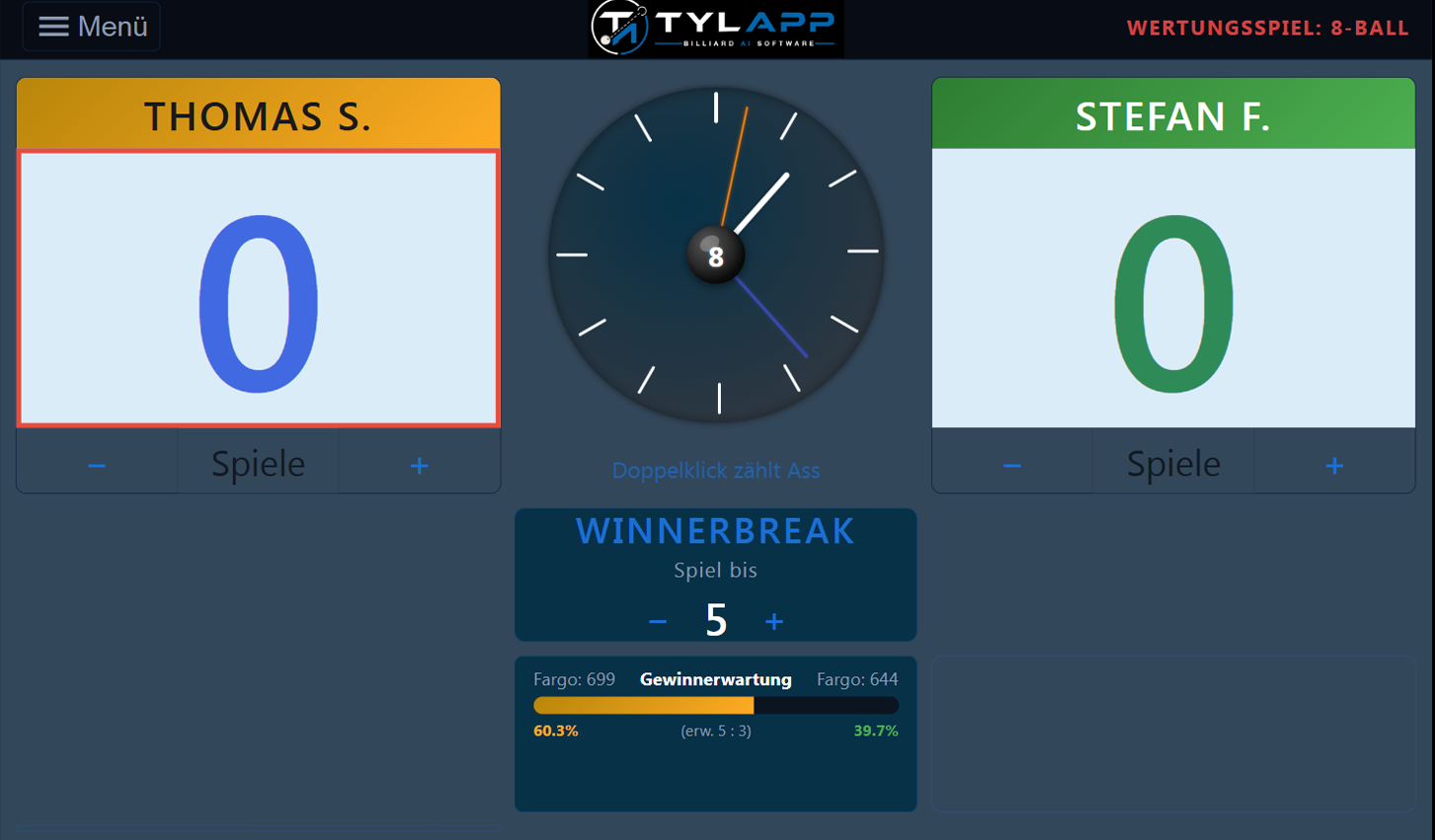
Original display · Scoreboard "Ranked 8-Ball"
Casual or ranked play with live Fargo win chance.
Endless mode, the run continues, saved locally.
Ball counter up to a freely adjustable target score.

Best-of-5 with manual set correction.
Multiple tablets kept in sync across multiple tables.
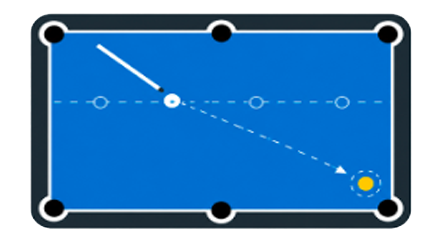
Pocketing drills with automatic path and angle calculation.
Camera, AI, and projector: everything for training at the table
Pocketing Drills
The camera sees the position, the AI calculates your path.
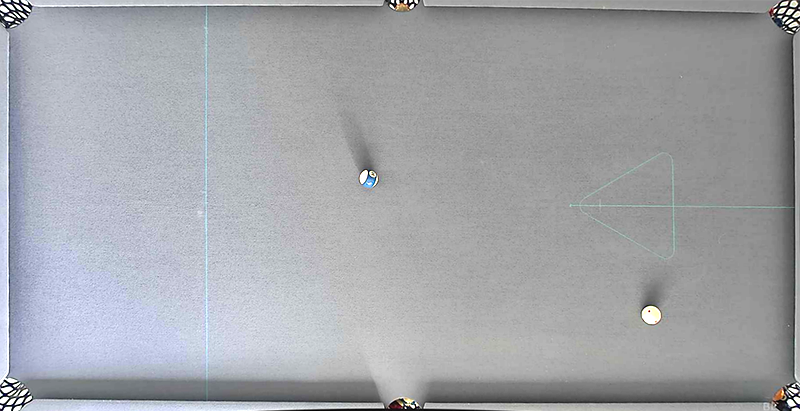
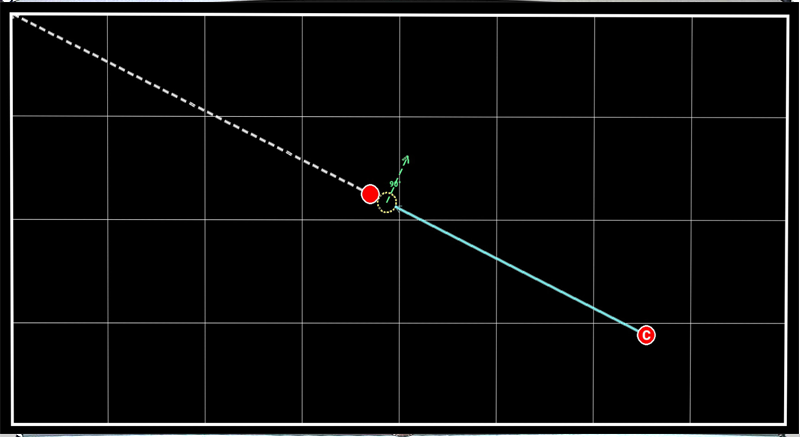
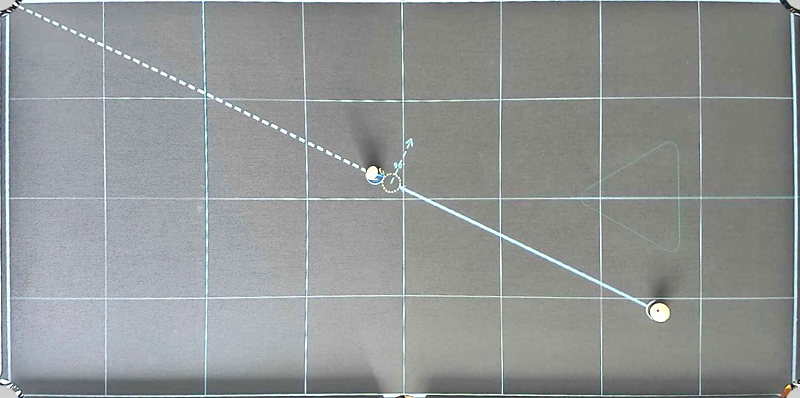
A hybrid of classic pixel scanning and a custom-trained YOLO model reliably detects ball positions on both gray and blue cloth – even where pure ML detection fails on ball clusters or balls right at the pocket. From the detected layout, TylApp calculates the geometrically correct path: ghost-ball position, contact point, and cushion rebound angle.
In the pocketing drill, you then just pick the pocket and shot type – straight, one-rail, or bank shot – done. No setting up training aids, no measuring: each of the six pockets can be selected individually, and every position is recalculated in real time.
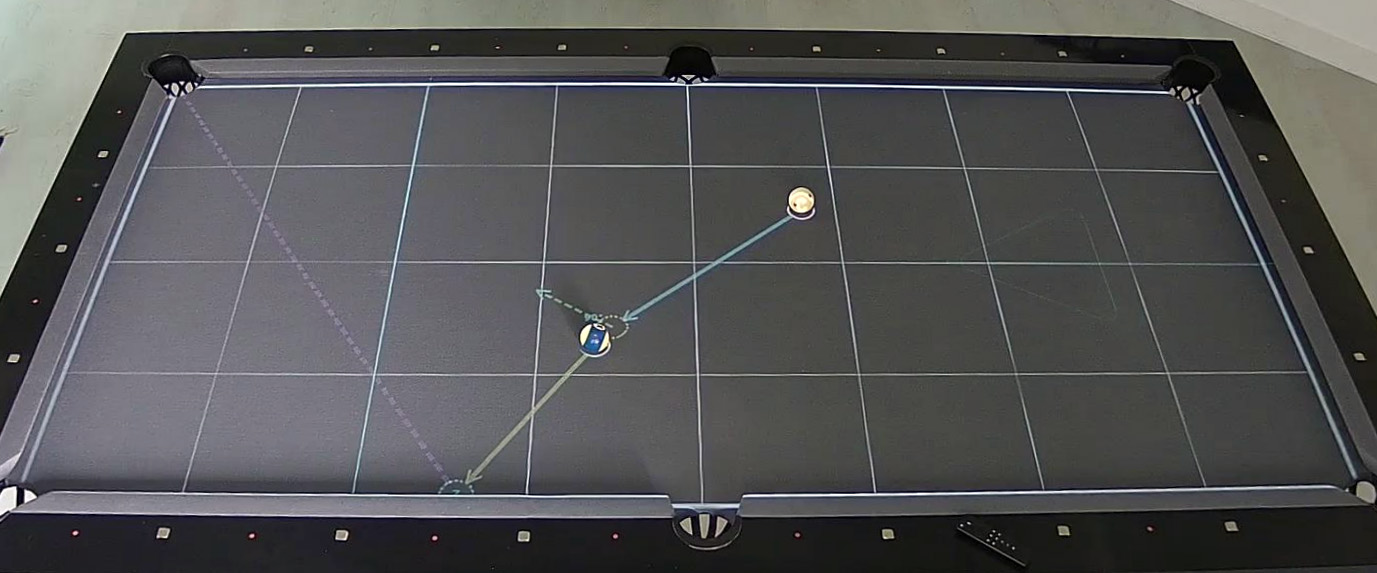
Original photo · Path calculation on the table
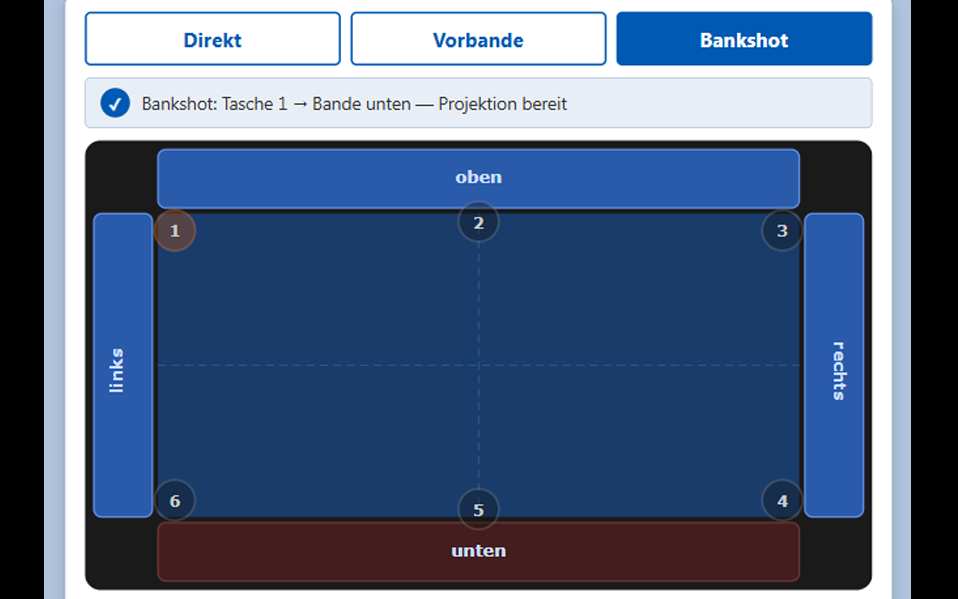
Original interface · Training Center "Pocketing Drills"
Training Positions
Over 100 prepared practice positions are available – curated in consultation with Dr. Dave (Billiard University) and Stefan Lünstroth (Billard Training). The projector displays the selected position precisely on the table, and the balls are simply placed to match. You can also upload your own positions and recall them anytime.
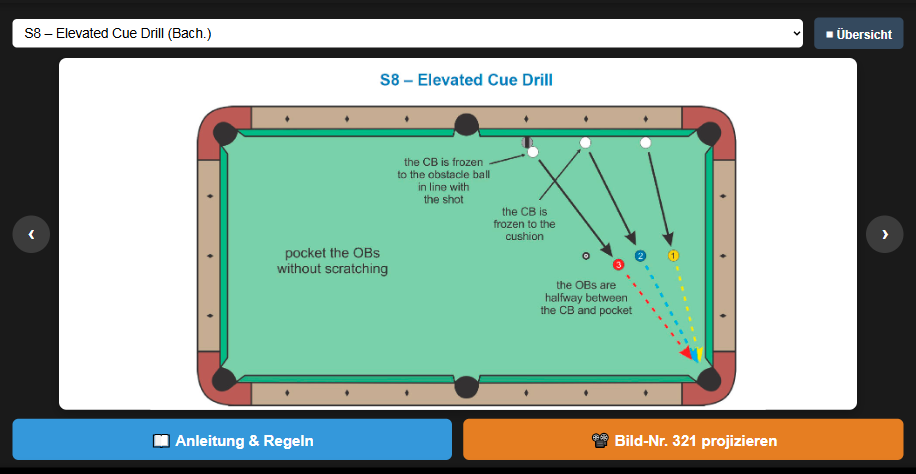
Original interface · Select & project a position
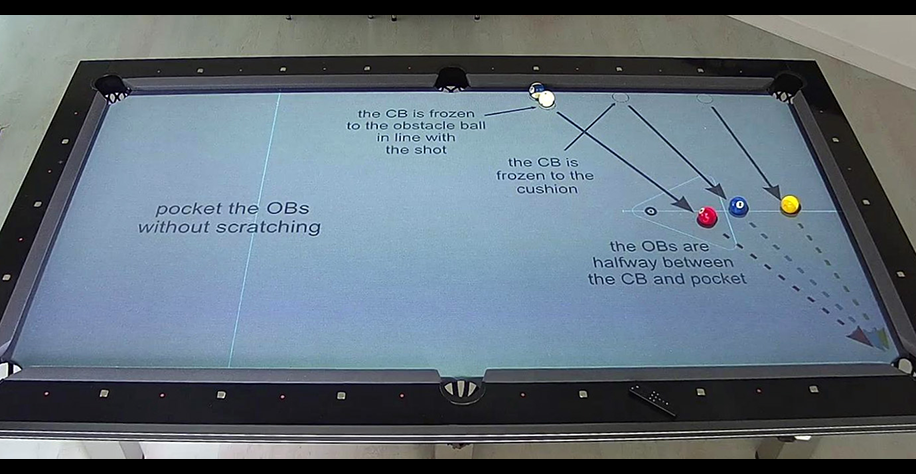
Original photo · Position projected & balls placed
Counting is history.
We haven't seen a complete 14.1 automation program like this at any other club. In 14.1 continuous, the number of balls has traditionally had to be recounted by hand after every inning. TylApp takes care of that automatically, right at the table:
- 01
Play the inning
The player shoots as usual, with no extra step during play.
- 02
Press the button & tap the tablet
A short signal at the table that the inning has ended.
- 03
AI counts automatically
Ball detection determines the balls pocketed and checks fouls, the three-foul rule, and all call-shot rules.
- 04
Result on the board & announced
The scoreboard updates itself, and the result is also read aloud.
- 05
Match report by email
At the end of the game, the complete match report can be sent as an RTF file straight to your own email address.
Smartphone as a Remote Control
The menu automatically generates its own QR code for each table. Once scanned, your own smartphone becomes a remote control for the game – count balls, call a foul, and make a correction directly from your phone, plus the photo function to capture the position. No extra device needed at the table – every player has control right in their hand.
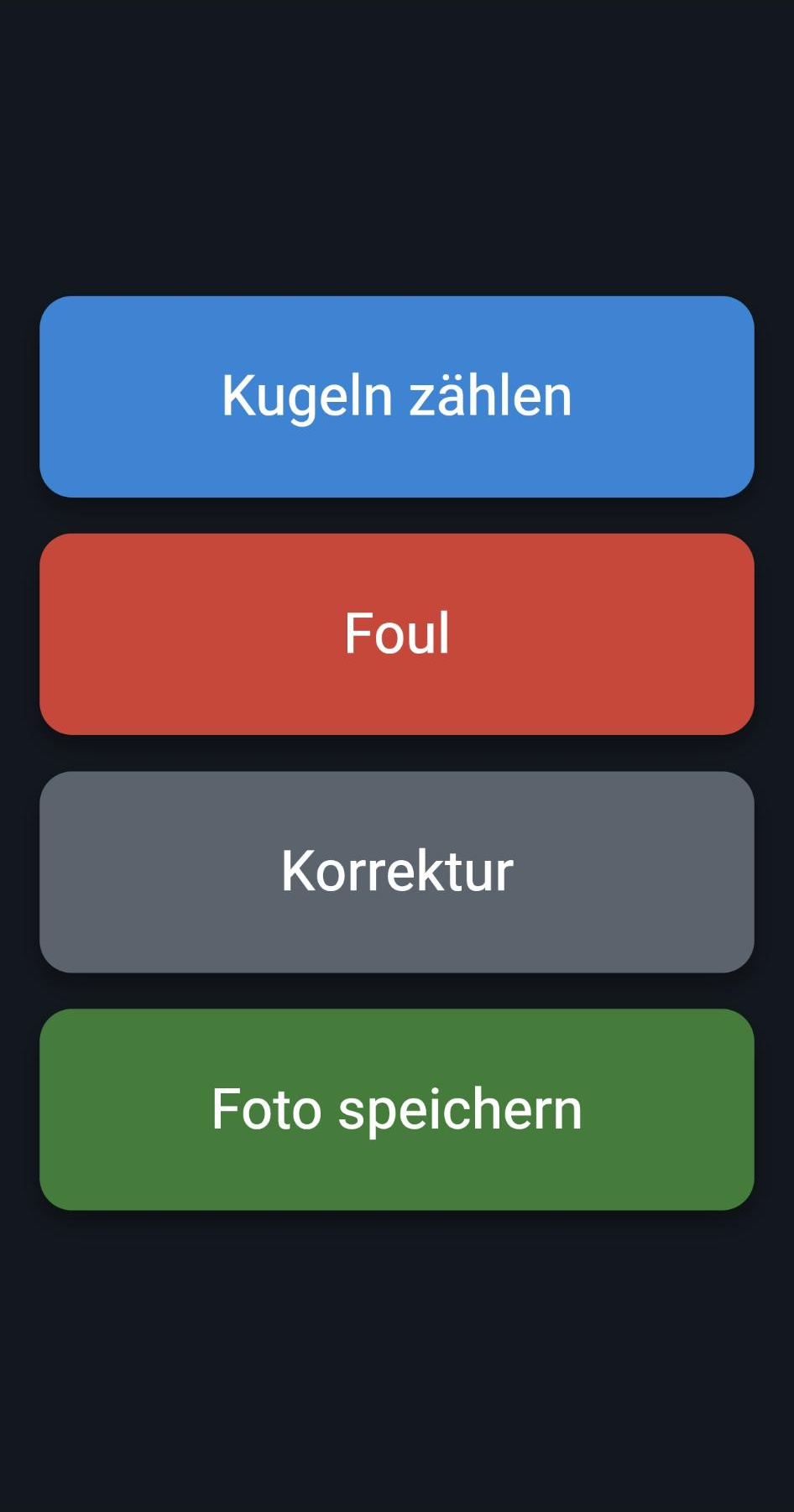
Original interface · Remote control via QR code
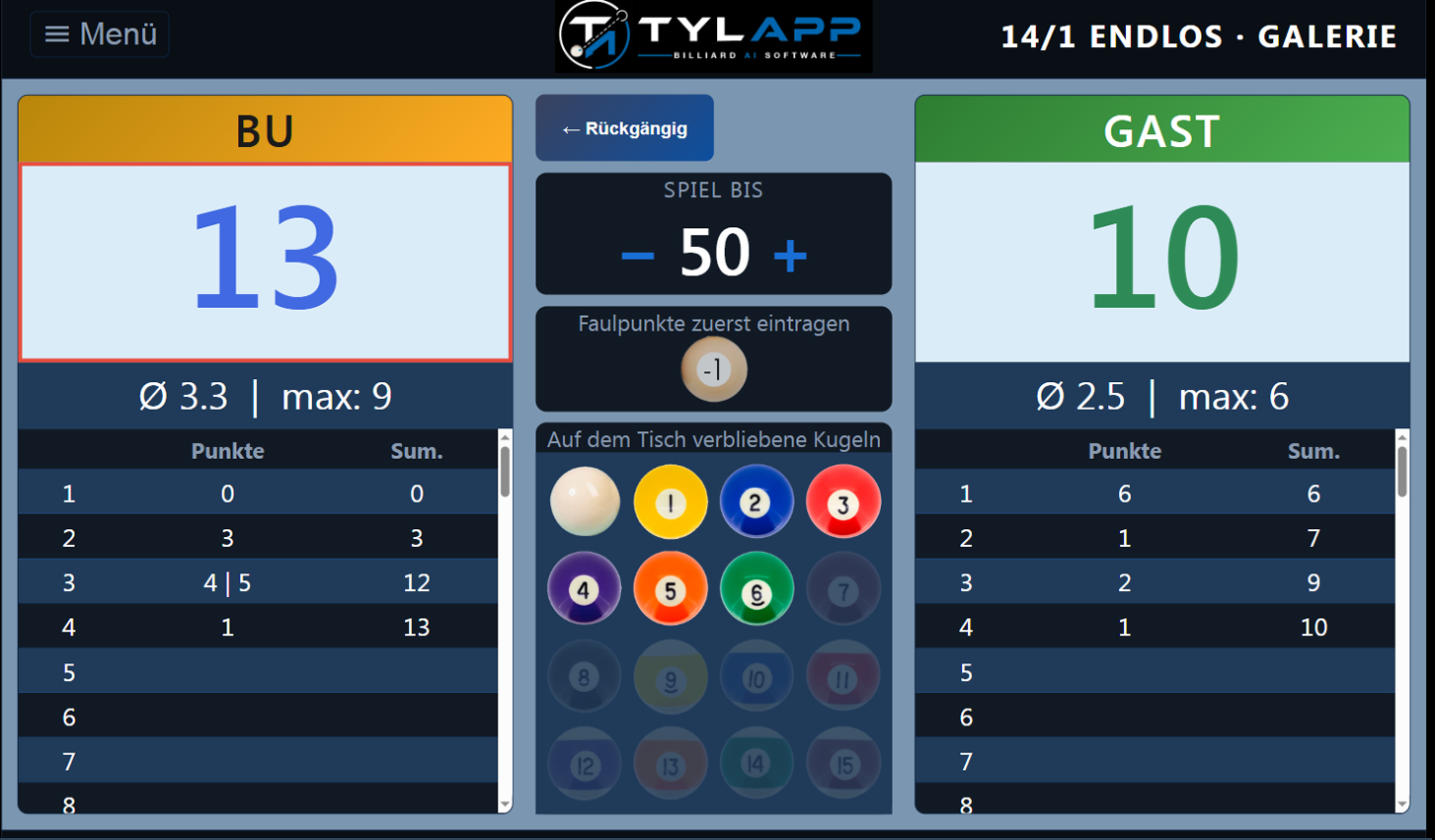
Original display · Scoreboard "14.1 Continuous"
Scoreboards and table projection in practice
A glimpse of real match play – more scoreboard variants and training positions right at the table.
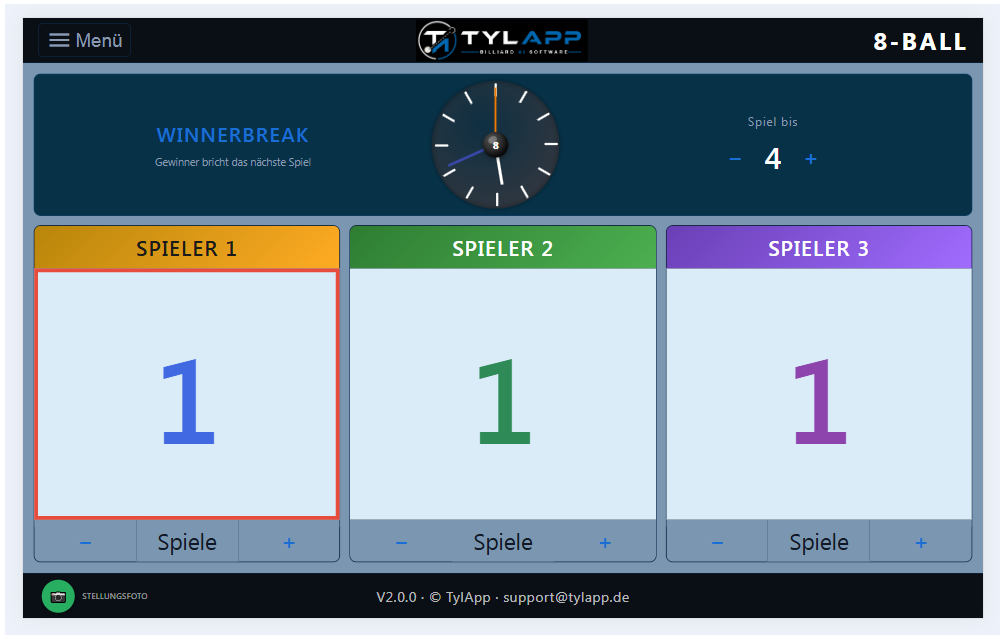
Scoreboard "8-Ball" · 3 players
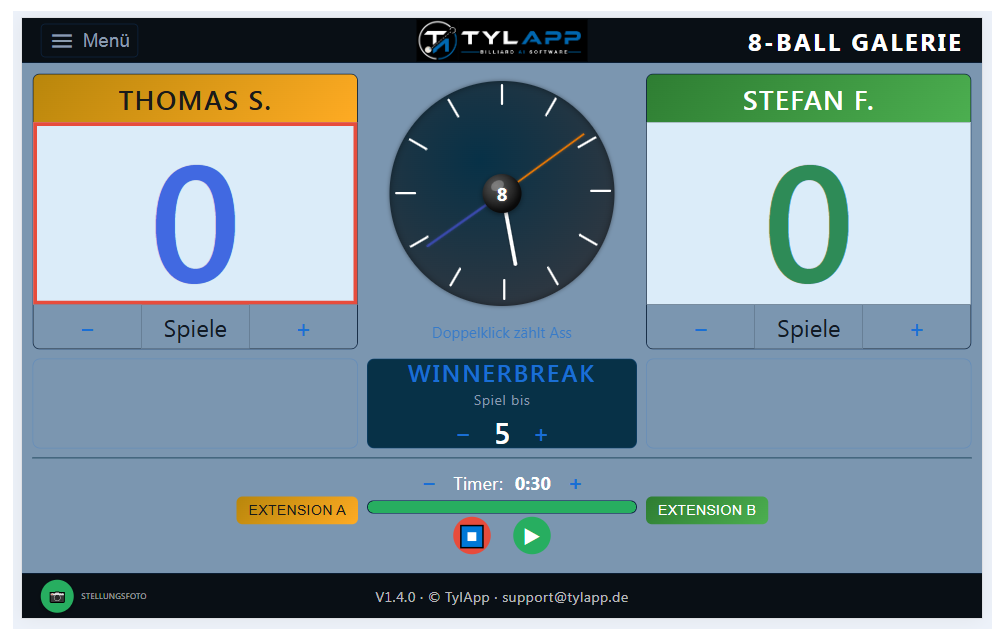
Scoreboard "8-Ball" · with shot-clock extension
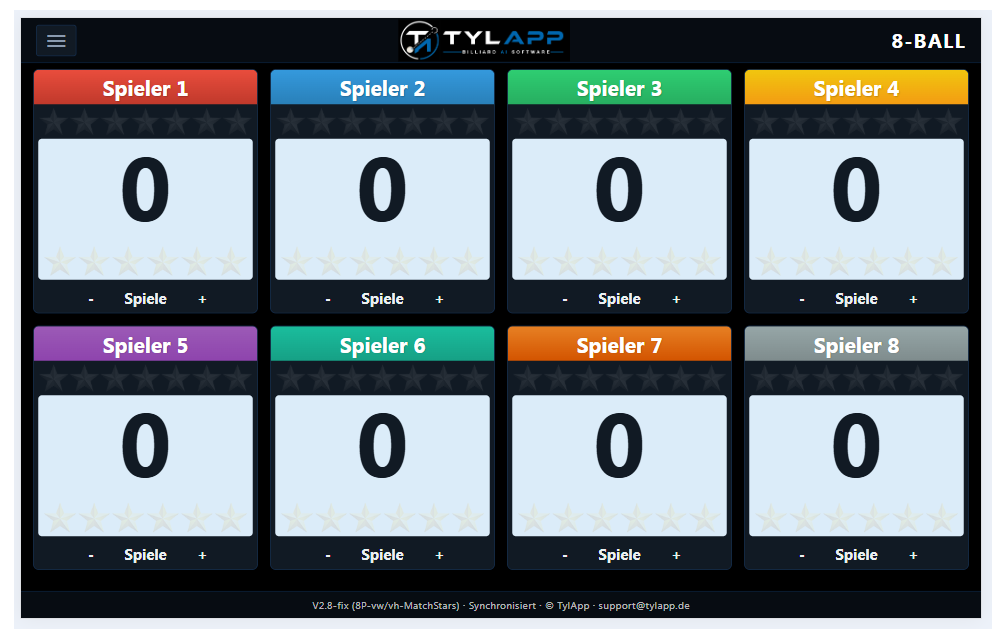
Scoreboard "8-Ball" · 8 players, synced across tables
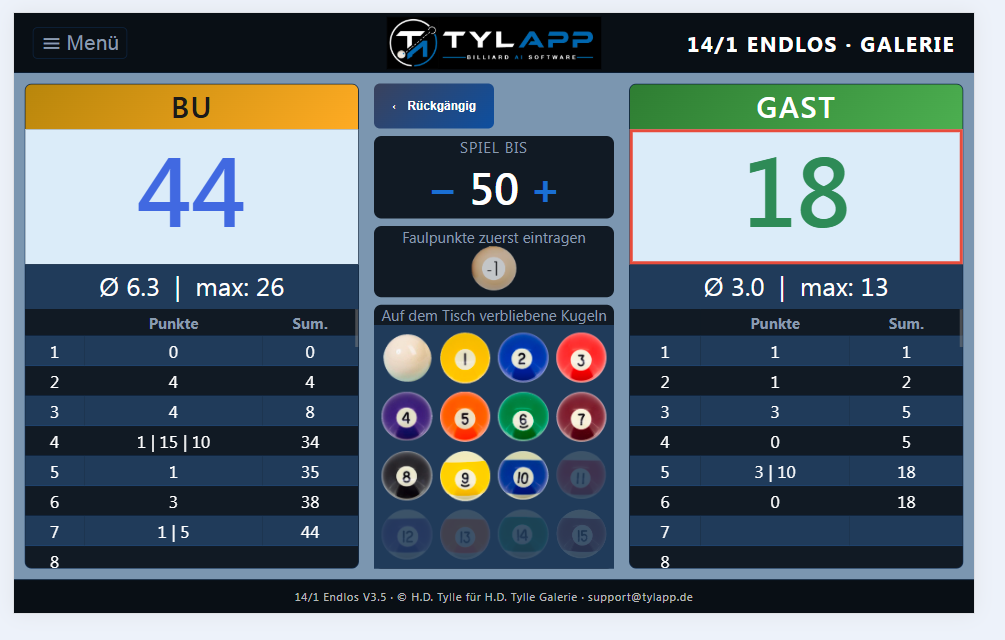
Scoreboard "14.1 Continuous" · ongoing match
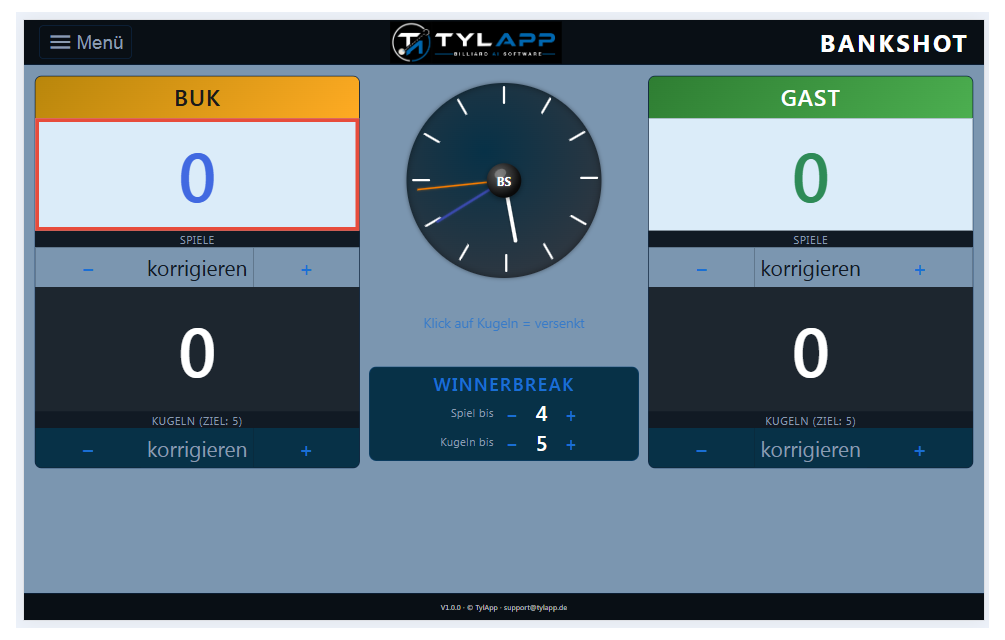
Scoreboard "Bank Shot"
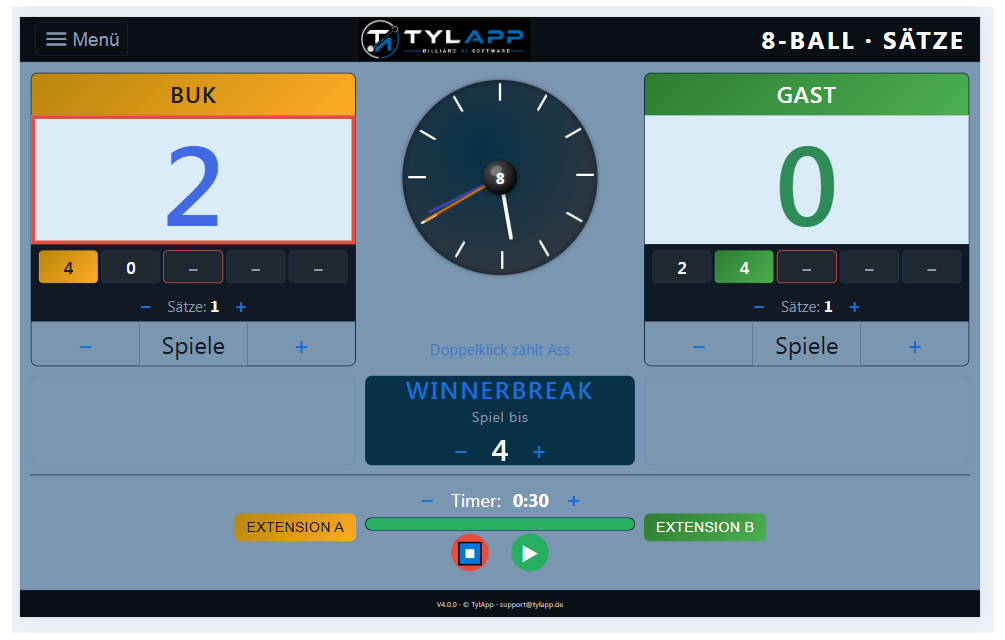
Scoreboard "8-Ball" · Play by Sets
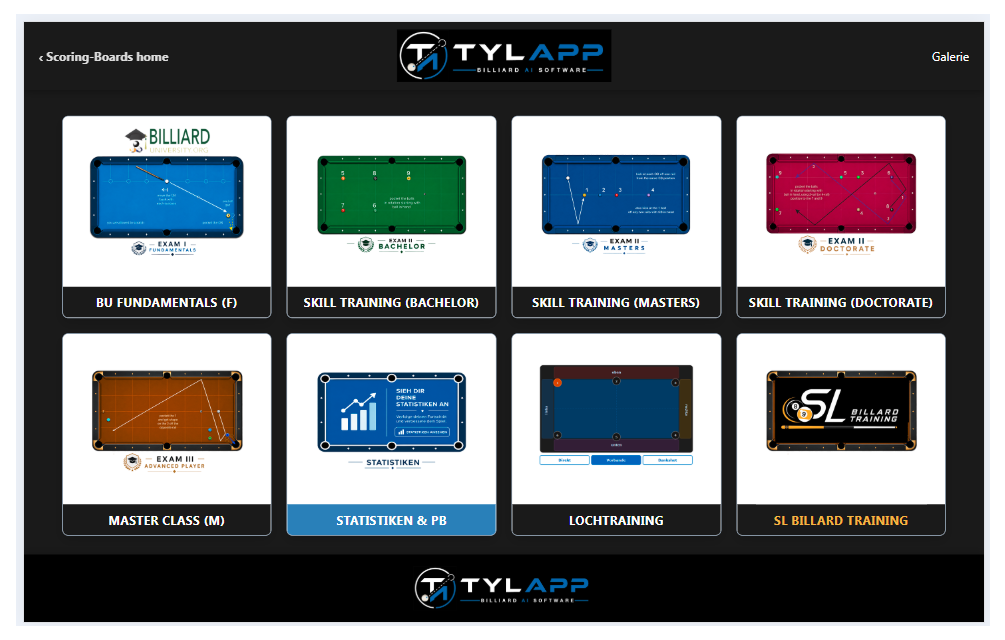
Training positions · Category selection
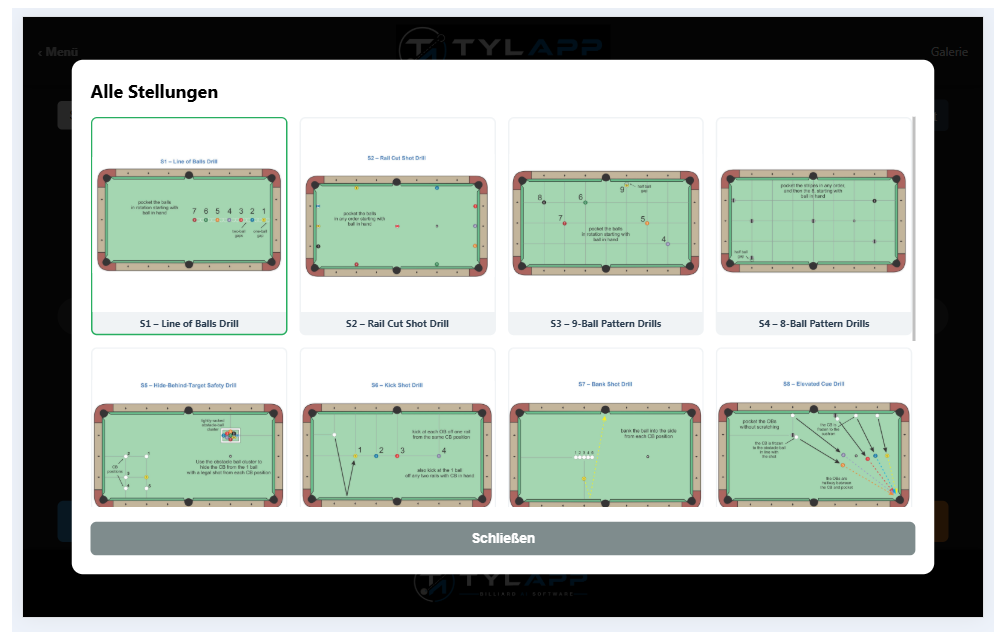
Training positions · Full overview
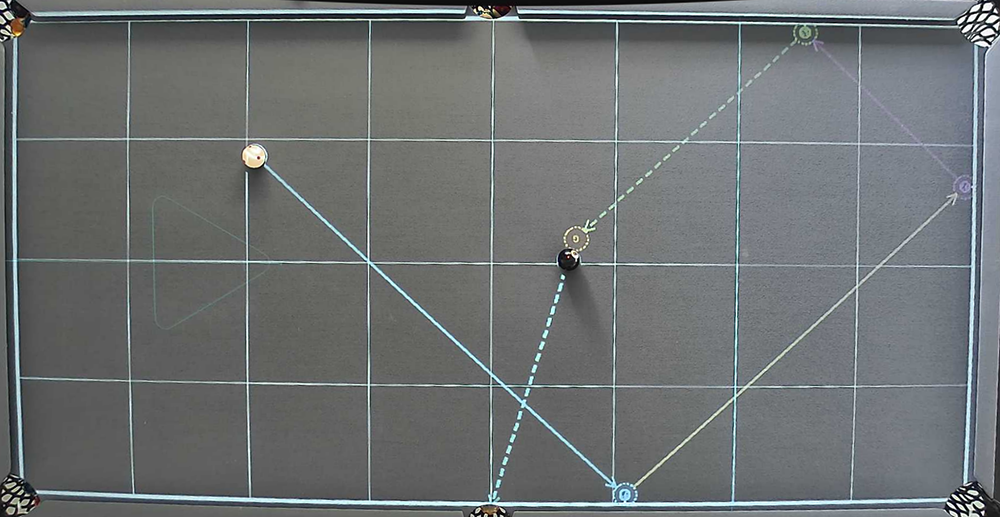
Path calculation · multiple shot-angle variants
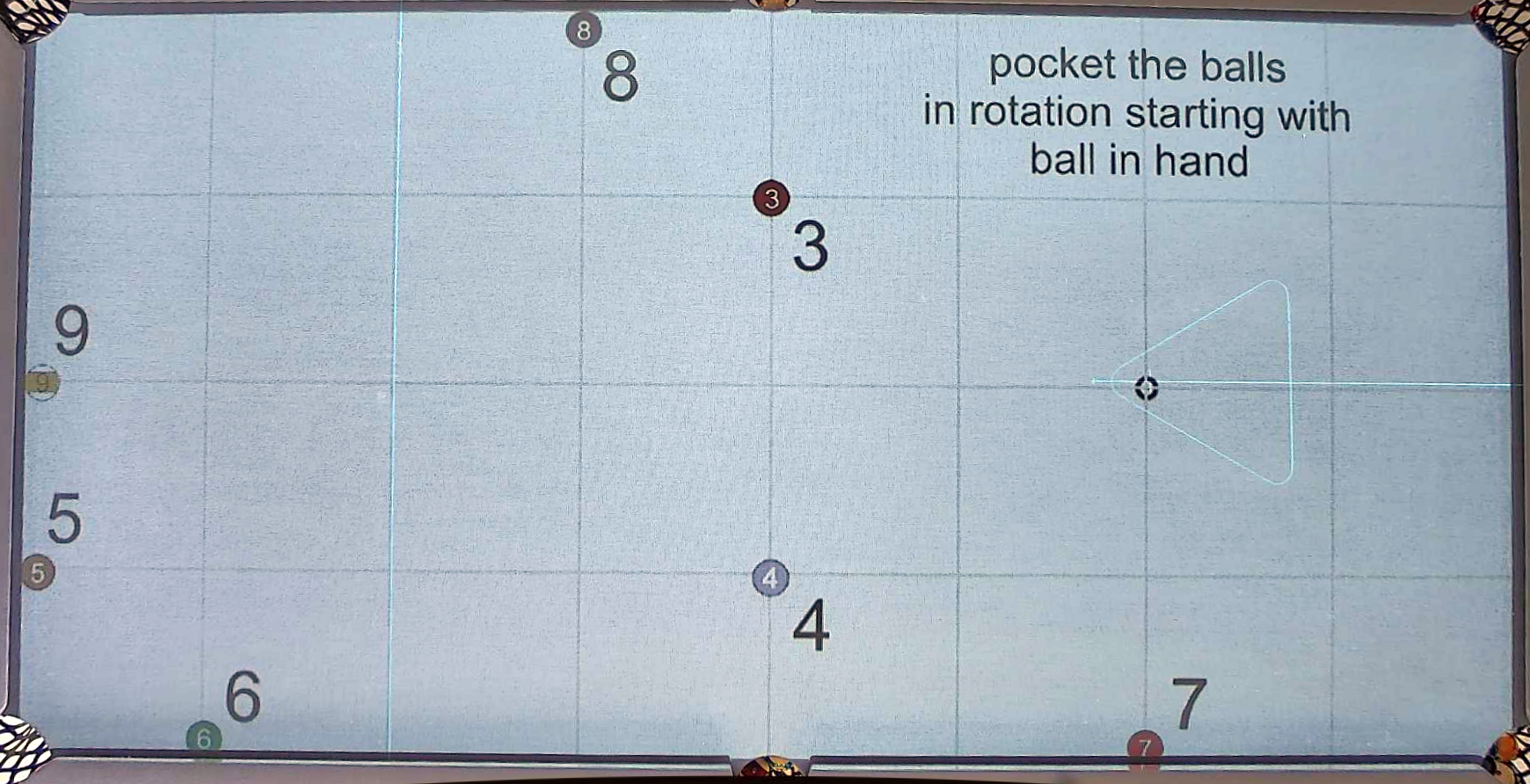
Training position projected · 9-Ball Pattern Drill
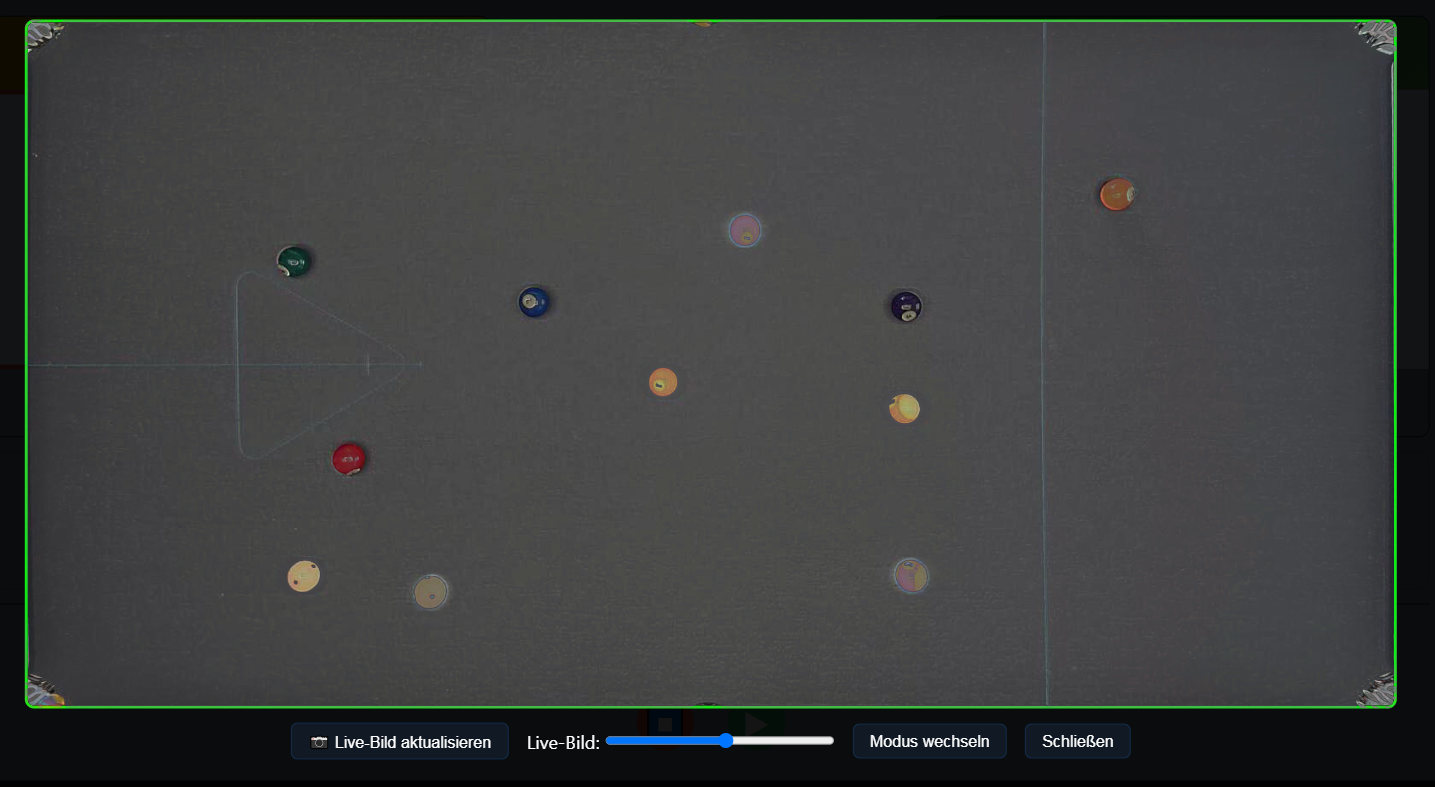
Overlay reconstruction · restoring a changed position
Interested for your club?
TylApp runs in real league and training operation at Billard Union Kassel and can be adapted to other tables and clubs. Drop me a line about which tables and game types you use.
tylapp.org · Billard Union Kassel